
Router on a stick
Router on a stick
| PublishedSep 24, 2026 | Read time10 min | Views2 | Category ccna, networking, ccnp, subnetting , | Tags — |
communication between vlans is known as Intervlan routing.
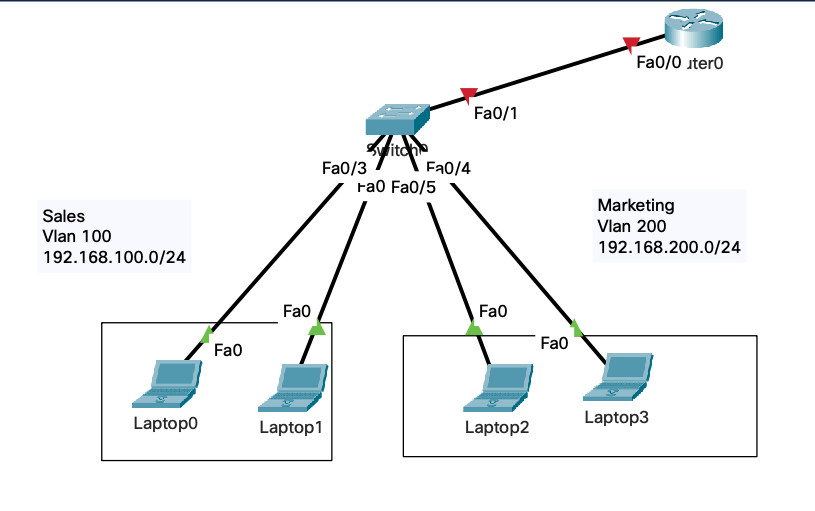
enable conf t hostname sw1
vlan 100 name sales
vlan 200 name marketing
int range fa0/2 - 3 switchport access vlan 100
int range fa0/4 - 5 switchport access vlan 200
int fa0/1 switchport mode trunk
Router enable conf t hostname R1
int fa0/0 no shutdown
int fa0/0.100 encapsulation dot1Q 100 ip address 192.168.100.1 255.255.255.0
int fa0/0.200 encapsulation dot1Q 200 ip address 192.168.200.1 255.255.255.0
ip dhcp pool SALES default-router 192.168.100.1 network 192.168.100.0 255.255.255.0
ip dhcp pool Marketing default-router 192.168.200.1 network 192.168.200.0 255.255.255.0
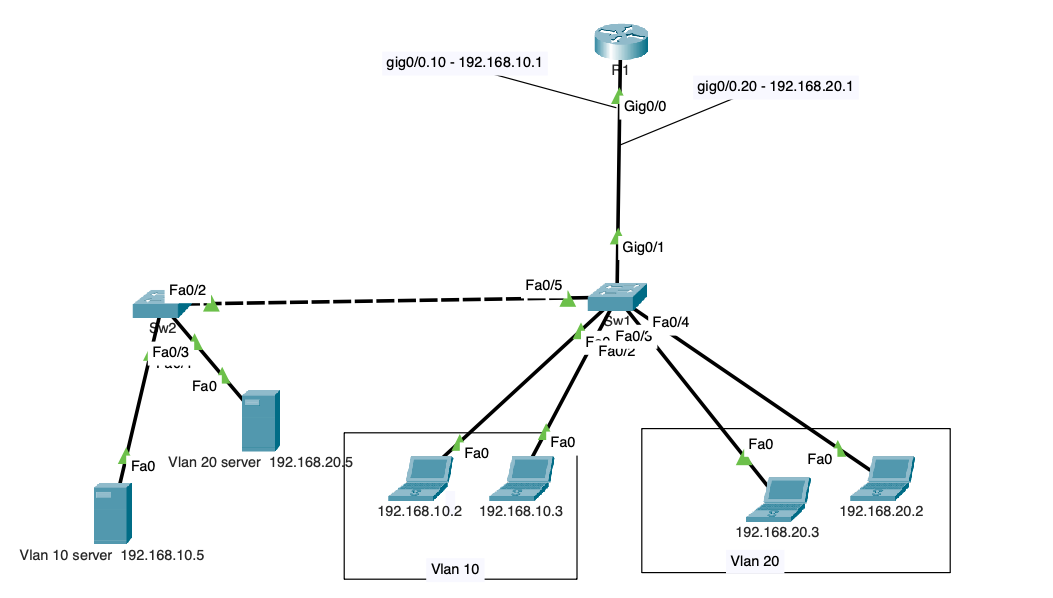
Router on a stick | Intervlan Routing.
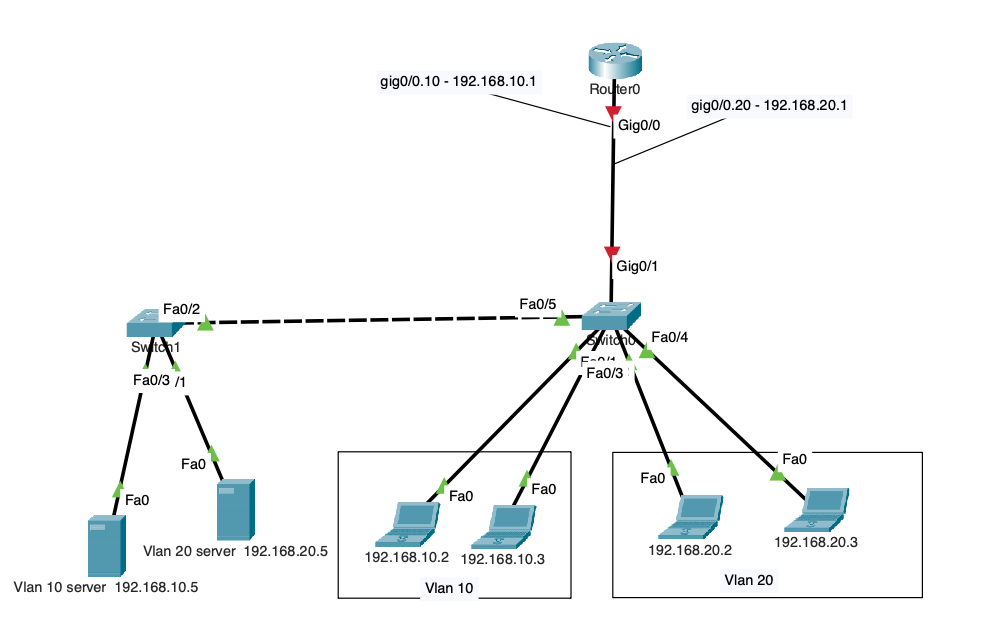
sw1 enable conf t hostname sw1 vlan 10 name student vlan 20 name staff
int range fa0/1 - 2 switchport access vlan 10 int range fa0/3 - 4 switchport access vlan 20
int gig0/1 description router-switch-port switchport mode trunk
int fa0/5 description sw1-sw2-port switchport mode trunk
============================================
sw2 enable conf t hostname sw2 vlan 10 name student vlan 20 name staff
int fa0/1 switchport access vlan 10 int fa0/3 switchport access vlan 20
int fa0/2 description sw2-sw1-port switchport mode trunk
Router enable conf t hostname R1
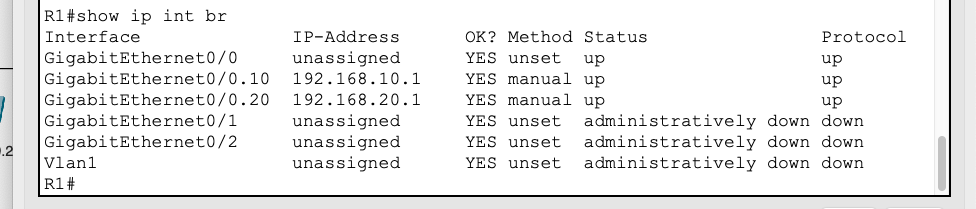
int gig0/0 no shutdown
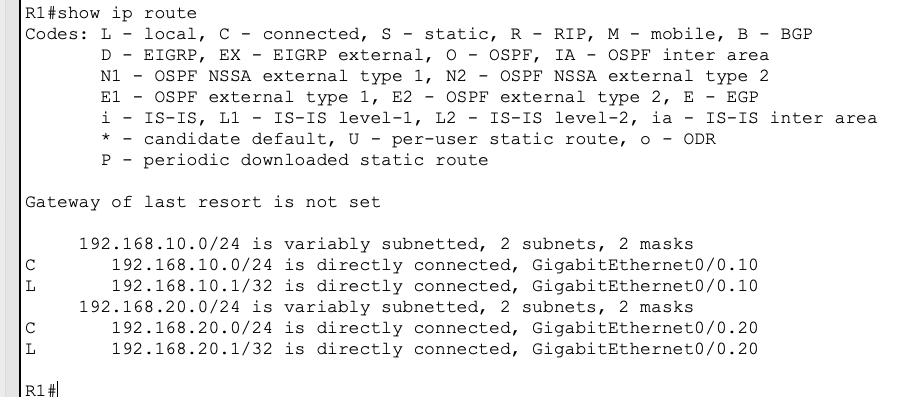
int gig0/0.10 encapsulation dot1q 10 ip address 192.168.10.1 255.255.255.0
int gig0/0.20 encapsulation dot1q 20 ip address 192.168.20.1 255.255.255.0
// Comments (0)